
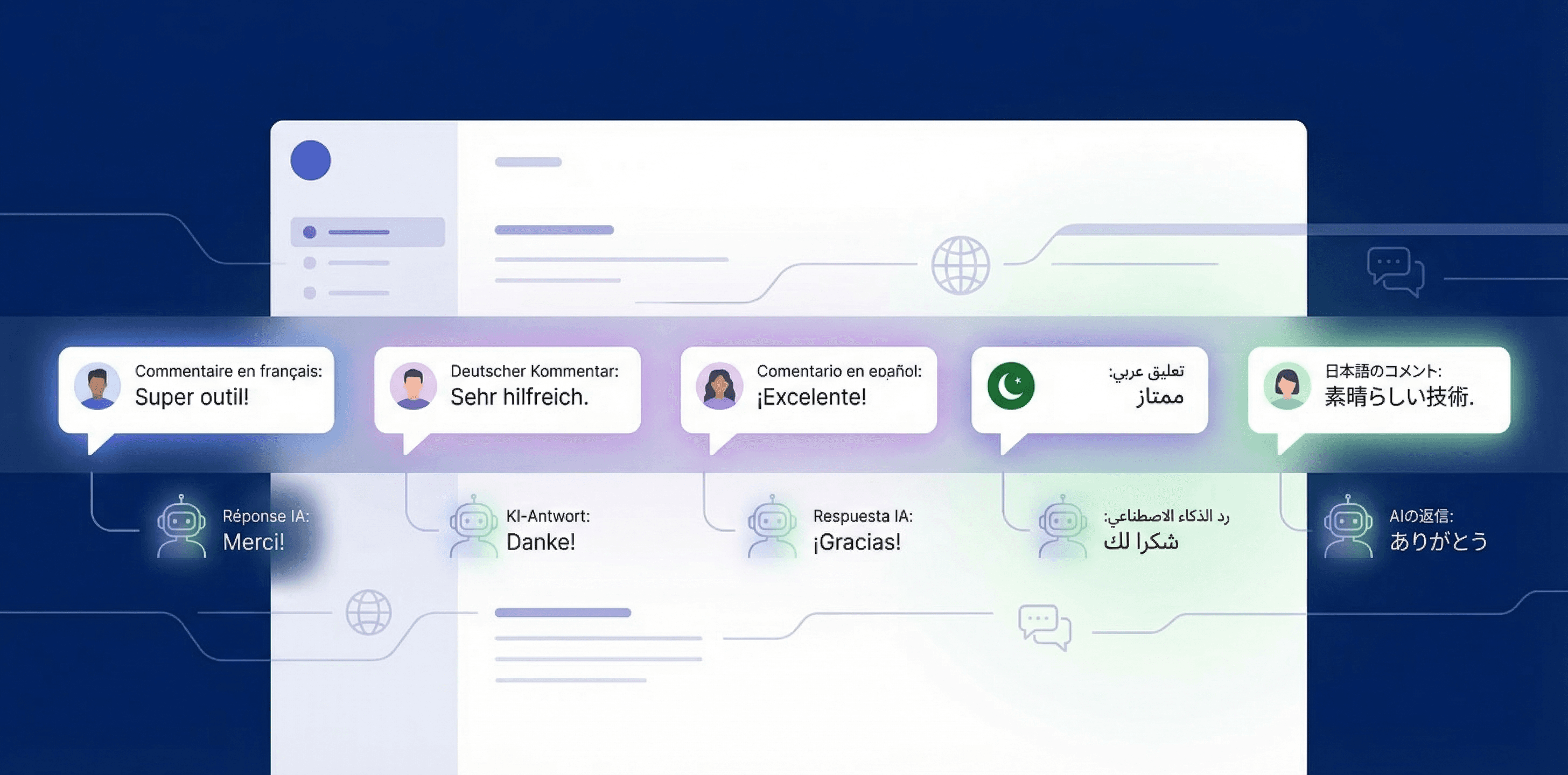
If you run ads across multiple markets, your comments arrive in dozens of languages. Ignoring non-English comments means ignoring potential customers. This guide covers three ways to handle multilingual comment replies: manual translation, browser-based tools, and AI auto-detection.
You launch a Facebook ad campaign targeting France, Germany, and Spain. Within hours, comments start arriving: "Quel est le prix?" "Wie funktioniert das?" "Lo envían a México?"
Your social media manager speaks English. Maybe some Spanish. The German comments sit unanswered. The French ones get a reply in English that feels dismissive. The Spanish comment about Mexico gets confused with Spain.
Meanwhile, your competitor with a native-speaking team replies in the right language within minutes. They get the click. You get the scroll.
This is the multilingual comment problem. And it gets worse the more markets you target. If you are running cross-border ads on Facebook or Instagram, here is how to handle comments in languages your team does not speak.
Why Multilingual Comments Matter More Than You Think
The data is straightforward: a comment in someone's native language that gets a reply in their native language converts better than a generic English response. This is not a cultural sensitivity argument (though that matters too). It is a practical one.
People buy in their own language. A study by CSA Research found that 76% of online shoppers prefer to buy products with information in their native language. Comments on your ads are the last touchpoint before a purchase decision. If your reply is in a language they are uncomfortable with, you have added friction at the worst possible moment.
Unanswered comments hurt ad performance. Facebook's algorithm factors in engagement. A comment that gets no reply is a dead signal. A comment that gets a contextual reply in the right language generates further conversation, which Facebook rewards with better delivery.
Non-English markets are where the growth is. CPMs in English-speaking markets keep climbing. Meanwhile, Southeast Asia, Latin America, and Eastern Europe offer lower CPMs and less competition. But only if you can actually engage with the audience there.
Method 1: Manual Translation (The Brute Force Approach)
The simplest method: copy each comment into Google Translate, read the translation, write your reply in English, translate it back, and paste it.
What works:
- Free
- You maintain full control over every reply
- Works with any platform, no setup required
What breaks down:
- Painfully slow. A single comment takes 2-3 minutes instead of 20 seconds.
- Translation quality varies. Google Translate handles common languages well but struggles with slang, abbreviations, and the informal language people actually use in comments.
- Does not scale. 50 comments across 4 languages means an hour of copy-paste work. Every day.
- Your translated replies often sound robotic. "We thank you for your interest in our product" is grammatically correct French but nobody talks like that.
Best for: Low volume (under 10 multilingual comments per day) and situations where every comment is high-value enough to justify the time.
Method 2: Browser Extensions and Translation Overlays
Tools like Google Translate's Chrome extension, DeepL, or Facebook's built-in translation can translate comments inline. Some social media management tools (Sprout Social, Hootsuite) also offer translation features in their dashboards.
What works:
- Faster than copy-pasting into a separate tab
- DeepL produces notably better translations than Google for European languages
- Some tools let you draft replies in English and auto-translate before posting
What breaks down:
- You still read every comment manually. The translation is automatic; the reply is not.
- Reply translation is one-directional. You write in English and translate out. If the translation sounds unnatural, you would not know unless you speak the language.
- No context awareness. The translation tool does not know your product, your pricing, or your FAQ. It translates words, not intent.
- Most tools charge per seat or per word. At scale, costs add up faster than you would expect.
Best for: Teams that speak 1-2 languages and need help with 1-2 more. Breaks down when you are dealing with 5+ languages regularly.
Method 3: AI Auto-Detection and Reply
AI tools detect the language of each incoming comment and generate a reply in that same language. No translation step, no manual intervention. The AI reads the comment, understands the intent, checks your knowledge base for the right answer, and writes a reply in the detected language.
What works:
- Fully automatic. No human in the loop unless you want one.
- Every reply is native-quality because the AI generates directly in the target language rather than translating from English.
- Context-aware. The AI references your product info, FAQ, and brand voice regardless of the reply language.
- Scales to any number of languages without additional configuration.
What breaks down:
- AI is not perfect with every language. Common languages (Spanish, French, German, Portuguese) get excellent results. Less common languages may have occasional awkward phrasing.
- You cannot easily QA replies in languages you do not speak. You need native speakers to spot-check periodically.
- Higher cost than free browser extensions.
The key difference from translation tools: AI does not translate your English reply. It generates the reply natively in the target language. The distinction matters. A translated reply carries the sentence structure and idioms of the source language. A natively generated reply reads like it was written by someone who thinks in that language.
Setting Up Multilingual AI Replies with ReplyZen
Here is how to configure auto-detected multilingual replies. Takes about 10 minutes.
1. Connect your Facebook or Instagram page. Standard OAuth connection. If you are running ads across multiple markets, you likely have one page per market or one global page. Both work.
2. Create an agent and set language to "Detect automatically." This is the default setting, so if you have not changed it, you are already set. The agent analyzes each incoming comment and determines the language before generating a reply.
The detection uses a high-confidence threshold. If the AI is not at least 80% sure about the language (common with single-word comments like "OK" or emoji-only reactions), it falls back to the language most commonly used on that page.
3. Add your knowledge base in your primary language. This is the part people overthink. You do not need separate FAQs for each language. Write your product info, pricing, policies, and brand guidelines in English (or whatever your team's working language is). The AI synthesizes this knowledge into whatever language it is replying in.
For example: your English FAQ says "We offer free shipping on orders over $50." When a French commenter asks "Est-ce que la livraison est gratuite?", the AI pulls that FAQ entry and generates a natural French reply: "Oui, la livraison est offerte pour toute commande de plus de 50$."
It does not translate the FAQ word-by-word. It understands the information and expresses it naturally in French.
4. Set your tone of voice. The tone setting (Direct, Formal, Balanced, Warm, Lighthearted) applies across all languages. A "Warm" tone in German will feel warm in German, not like a warm English sentence put through Google Translate.
5. Use hybrid publishing mode to start. Let the AI auto-publish replies it is confident about. Replies it is less sure about get queued as drafts for your review. This is especially useful for multilingual setups because it catches edge cases where the language detection might be uncertain.
Reply to every comment in the right language
ReplyZen detects dozens of languages automatically. Your knowledge base stays in one language while replies go out natively in each commenter's language.
What About Instagram?
Everything above works identically on Instagram with one caveat you already know if you have read our other guides: Instagram does not support clickable links in comments. Any URL in an IG comment shows up as plain text.
This does not affect multilingual replies directly, but it matters for your strategy. On Facebook, you can include a product link in your multilingual reply. On Instagram, use DM automations instead to send links privately.
Language detection and reply generation work the same way on both platforms. The AI detects the comment language and replies in that language regardless of whether it is a Facebook or Instagram comment.
Common Pitfalls
Mixing languages in a single reply
Some tools (and some AI configurations) will reply in the detected language but throw in English words for product names or technical terms. This looks sloppy. Make sure your setup generates fully native replies. Product names can stay in English if that is your brand name, but generic terms should be localized.
Ignoring right-to-left languages
Arabic and Hebrew use right-to-left text. Most comment reply tools handle this correctly because Facebook and Instagram render RTL natively. But if you are reviewing drafts in a dashboard that does not support RTL, the text may look garbled even when it is correct.
Assuming one language per market
You are targeting France. Obviously everyone comments in French, right? Not necessarily. France has significant Arabic, Turkish, and Portuguese-speaking communities. A German campaign might get comments in Turkish, Polish, or Russian. AI auto-detection handles this gracefully because it detects per-comment, not per-campaign.
Over-relying on auto-detection for ambiguous content
Short comments like "Top!", "Super", or "Grande" are valid words in multiple languages. Good AI tools recognize this ambiguity and fall back to the page's primary language context rather than guessing wrong. If you see misdetected languages in your reply drafts, it is usually on these short, ambiguous comments.
Not spot-checking with native speakers
You cannot QA what you cannot read. Even if AI replies look correct to you (because they are in a language you do not understand), schedule periodic reviews with native speakers. A monthly spot-check of 10-20 replies per language catches systematic issues before they become patterns.
Supported Languages
ReplyZen supports automatic detection and reply generation in dozens of languages, including Arabic, Chinese, Czech, Danish, Dutch, English, Finnish, French, German, Greek, Hebrew, Hindi, Hungarian, Indonesian, Italian, Japanese, Korean, Norwegian, Polish, Portuguese, Romanian, Russian, Spanish, Swedish, Thai, Turkish, Ukrainian, Vietnamese, and more.
If a comment arrives in a language the AI is not confident about, the agent falls back to the page's primary language rather than generating a potentially incorrect reply.
FAQ
Do I need separate knowledge bases for each language?
No. Write your FAQs, product descriptions, and brand guidelines in your primary language. The AI synthesizes that information into whatever language it is replying in. One knowledge base covers all supported languages.
Can I force all replies to be in one specific language?
Yes. If you prefer all replies in English (or any other language) regardless of the comment language, you can override auto-detection and set a fixed reply language in your agent settings.
How accurate is the language detection?
Very accurate for comments longer than a few words. The AI uses a confidence threshold of 80% or higher before committing to a language. For ambiguous content (single words, emojis, universal expressions like "OK" or "Wow"), it falls back to the most common language used on that page.
Does it work for DMs too?
Yes. If you use automations that send DMs when someone comments, the DM is generated in the same detected language as the public reply. Both the public comment reply and the private message match the commenter's language.
What if my ad copy is in English but comments come in other languages?
This is the most common scenario for global campaigns. The AI detects the comment language independently from the ad language. Your ad can be in English while the AI replies in French, German, or any other detected language. The knowledge base and product context still inform the reply regardless of the language mismatch between ad and comment.
Can I review AI replies in languages I do not speak?
Use hybrid publishing mode. Replies the AI is confident about get auto-published. Less certain replies get saved as drafts. For language QA, schedule periodic spot-checks with native speakers or use a translation tool to verify draft replies before approving them.